Skip to main content
How Can We Help?
-
Documentation for EAS
-
-
- Page Basics
- Adding a Page
- Editing a Page
- Deleting a Page
- Questions in a Page
- Split Page
- Navigation Panel
- Page Basics
- Adding a Page
- Editing a Page
- Navigation Panel
- Deleting a Page
- Split Page
- Section Breaks
- Questions in a Page
- Reordering Pages
- Show Remaining Articles (1) Collapse Articles
-
- Quiz Basics
- Adding a Quiz
- Editing a Quiz
- Manage Quizzes
- Previewing a Quiz
- Deleting a Quiz
- Question Bank
- Quiz Basics
- Manage Quizzes
- Adding a Quiz
- Editing a Quiz
- Previewing a Quiz
- Deleting a Quiz
- Duplicating a Quiz
- Duplicating a Quiz
- Quiz Templates
- Quiz Access
- Quiz Result
- Chained Quizzes
- Show Remaining Articles (4) Collapse Articles
-
-
Documentation for EASE
-
- Articles coming soon
-
-
- Articles coming soon
-
-
A page can be permanently deleted from the quiz’s Pages screen.
Go to EAS > Quizzes, select the quiz, and click Pages. Find the page that you want to remove and click Delete.
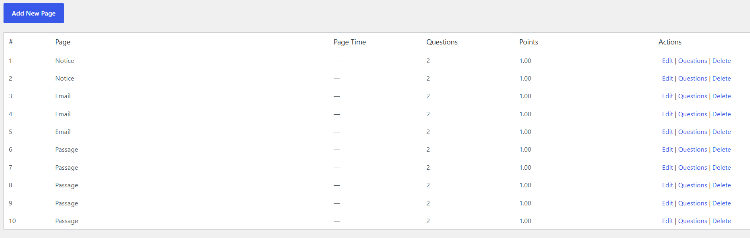
EAS asks for confirmation before deleting the page.
Deleting a page also removes the questions assigned to that page from the page. The questions themselves belong to the quiz’s Question Bank and are therefore handled as quiz questions rather than as independent WordPress content.
A page should be deleted only when it is no longer required. If the page is only in the wrong position, do not delete it. Instead, drag the page to the required position in the page list.
After deleting a page, check the remaining page order and question assignments.