A question can be permanently deleted from the quiz’s Question Bank.
Go to EAS > Quizzes > Questions and find the question that you want to remove.
Click Delete and confirm the deletion.
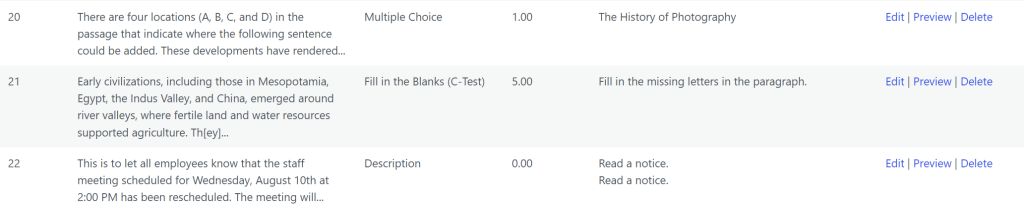
Deleting a question removes it from the quiz’s Question Bank and therefore removes the question itself from the quiz.
If the question is currently assigned to one or more pages, those page assignments are also affected.
Before deleting a question, check the Pages column in the Question Bank. This column shows the pages on which the question is currently used.
If a question is no longer required on a particular page but may be needed elsewhere in the quiz, do not delete it from the Question Bank. Instead, remove its assignment from the relevant page. Deletion should therefore be used only when the question itself is no longer required.