An existing quiz can be modified from EAS > Quizzes. Find the quiz that you want to change and click Edit.
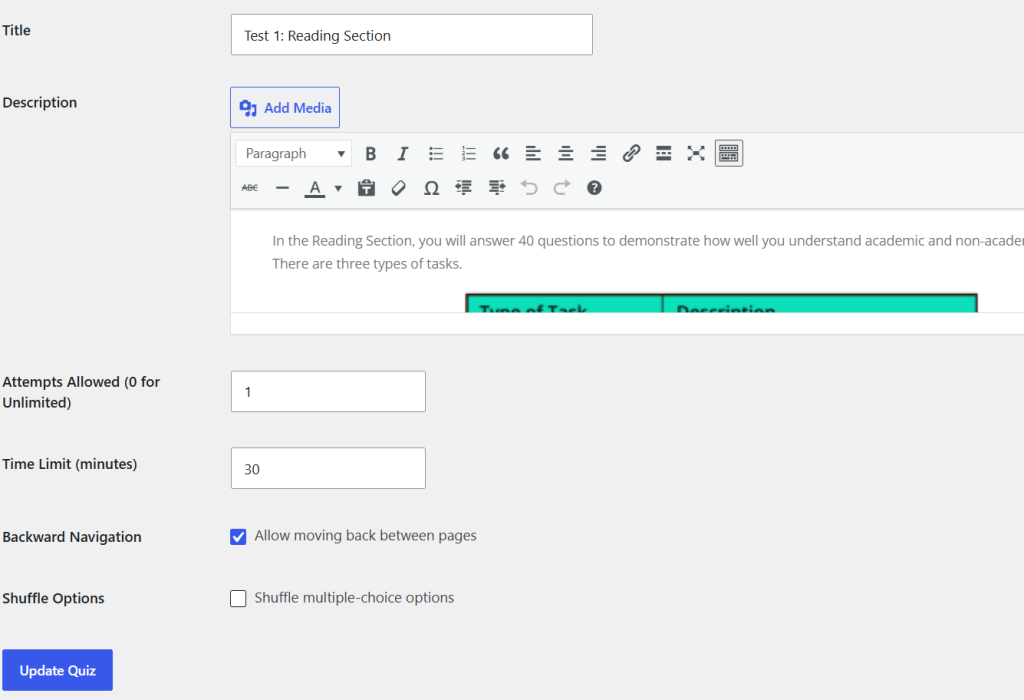
The quiz editing screen contains the same main settings that are available when a quiz is created:
- Title
- Description
- Attempts Allowed
- Time Limit
- Backward Navigation
- Shuffle Options
Change the required information and click Update Quiz.
Changing quiz settings does not require the pages or questions to be recreated. Pages and questions are managed separately through the Pages and Questions links in the quiz list.
The Title and Description can be changed at any time. The number of allowed attempts and the time limit can also be changed when necessary.
When backward navigation is enabled, students can move between pages in both directions. When it is disabled, students can only move forward through the quiz.
If Shuffle Options is enabled, Multiple Choice answer options are presented in a shuffled order.
Review the quiz settings before students begin an assessment, particularly the attempt limit, time limit, and navigation setting.