EAS quizzes are managed from EAS > Quizzes in the WordPress administration area.
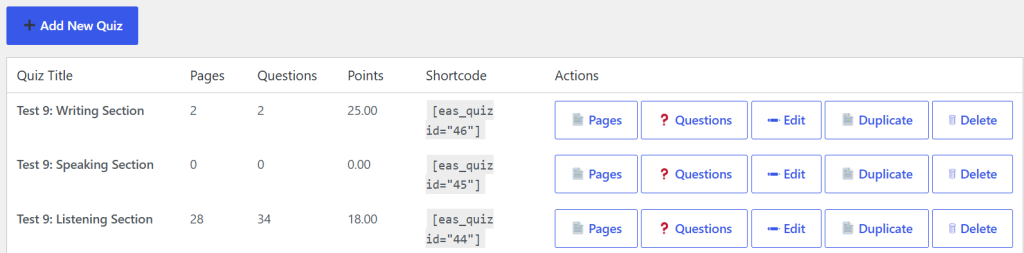
The Quizzes page displays all quizzes created in EAS. For each quiz, the list shows:
- Quiz Title
- Pages
- Questions
- Points
- Shortcode
- Actions
The number of pages, questions, and total points provides a quick overview of each quiz.
The Shortcode is the special WordPress shortcode used to display the quiz on a WordPress page or post. For example:
Quiz not found.
The Actions column provides links for managing the quiz:
- Pages – manage the pages belonging to the quiz.
- Questions – open the quiz Question Bank.
- Edit – modify the quiz settings.
- Duplicate – create a copy of the quiz.
- Delete – permanently delete the quiz.
To create a new quiz, click Add New Quiz.
A quiz normally needs pages and questions before it can be used by students. After the quiz has been created, use Pages to create the structure of the quiz and Questions to create and manage its question bank.
Deleting a quiz is permanent. The deletion also removes the pages, questions, answers, attempts, and responses associated with the quiz.