Some EAS questions can be graded automatically, while others require manual grading.
Go to EAS > Attempts to view completed student attempts.
An attempt marked Needs grading can be opened by clicking Grade.

The grading screen displays the student’s responses question by question.
For each response that requires manual assessment, the teacher can enter the number of Points awarded. The maximum available points are displayed for the question. The teacher can also enter Feedback for the response.
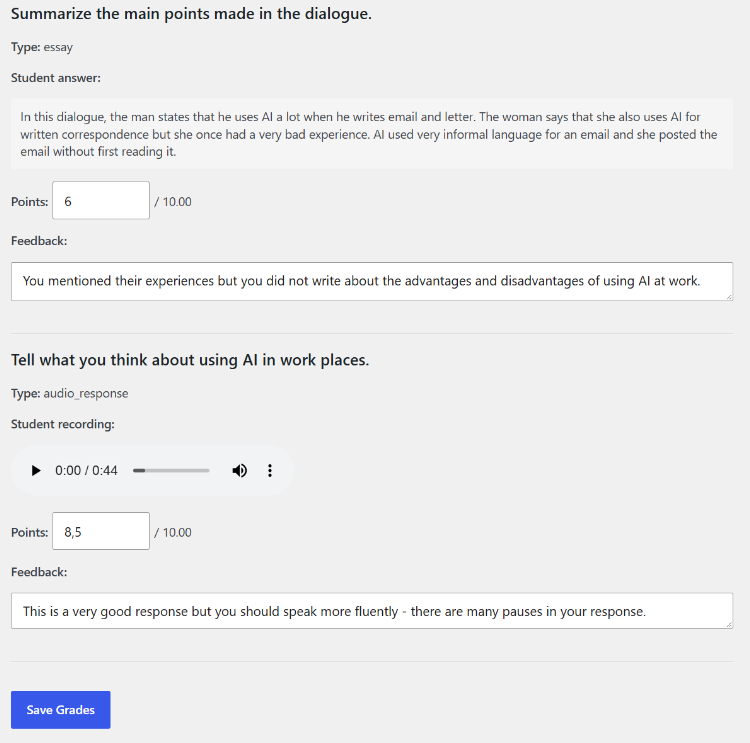
Audio Response questions include the student’s recording, which can be played directly from the grading screen.
After checking the responses and assigning the required points and feedback, click Save Grades. EAS recalculates the attempt’s score using the grades entered by the teacher.
After the grades have been saved, the attempt is marked as graded and can be opened again using Review. Teachers should check all manually graded responses before saving the final grades.