-
Documentation for EAS
-
Documentation for EASE
-
- Review
- Chained Quizzes
- Quiz Result
- Quiz Access
- Quiz Templates
- Duplicating a Quiz
- Deleting a Quiz
- Previewing a Quiz
- Editing a Quiz
- Adding a Quiz
- Manage Quizzes
- Quiz Basics
Questions are assigned to pages through the page’s Questions screen.
Go to:
EAS > Quizzes > Pages > Questions
The page’s Questions screen shows the questions currently assigned to that page.

A question can be added from the quiz’s Question Bank. Select Add Existing Question and choose the question that should appear on the page.
Questions already assigned to the page cannot be added again.
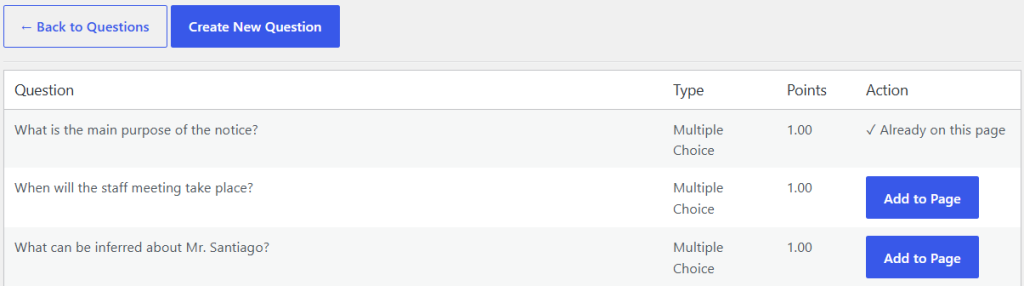
A question can be used on more than one page within the same quiz. This makes it possible to reuse a question without creating another copy of it. Questions remain part of the quiz’s Question Bank even when they are assigned to a page.
The order of questions on a page determines the order in which students normally encounter them.
When building a quiz, first create the required questions in the Question Bank and then assign them to the appropriate pages. After making changes, preview the page to verify that the questions appear in the intended order.