-
Documentation for EAS
-
Documentation for EASE
-
- Review
- Chained Quizzes
- Quiz Result
- Quiz Access
- Quiz Templates
- Duplicating a Quiz
- Deleting a Quiz
- Previewing a Quiz
- Editing a Quiz
- Adding a Quiz
- Manage Quizzes
- Quiz Basics
An Audio Response question asks students to record a spoken answer.
When creating an Audio Response question, enter the question text and configure the recording settings.
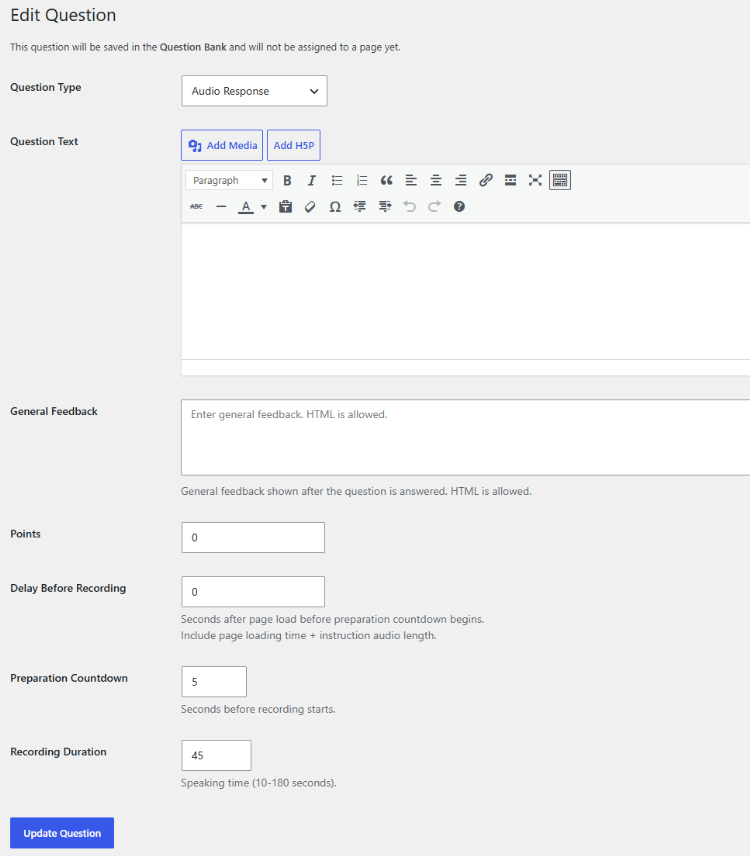
The available settings include:
Delay Before Recording
This specifies the delay before the preparation countdown begins. The delay can be used to allow time for page loading and instruction audio.
Preparation Countdown
This specifies how many seconds students have to prepare before recording starts.
Recording Duration
This specifies the maximum speaking time.
The recording duration can be set between 10 and 180 seconds.
Students record their response directly in the quiz. The recording is stored with the student’s attempt and can be played during grading.
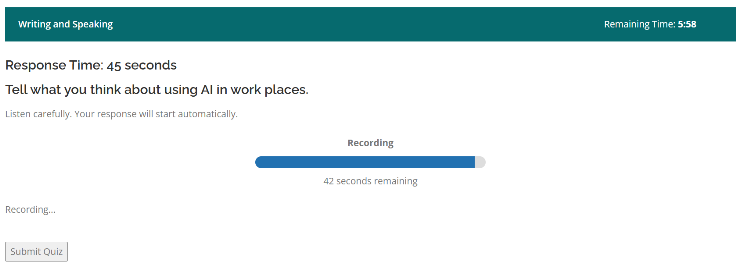
Audio Response questions normally require manual assessment because the spoken response must be evaluated by a teacher.
When creating an Audio Response question, preview it and test the complete recording process before using it in a live assessment.