The Drag and Drop into Text question type allows students to place words into gaps within a text.
Gaps are created in the question text using numbered placeholders.
For example:
She went [[1]] the shop and bought [[2]] apples.
to | some
The numbered placeholders identify the positions where answers must be placed.
When creating the question, enter the possible answers in the available option fields. EAS supports answer positions and can also include a Distractor, which is an option that does not belong in a correct answer position.
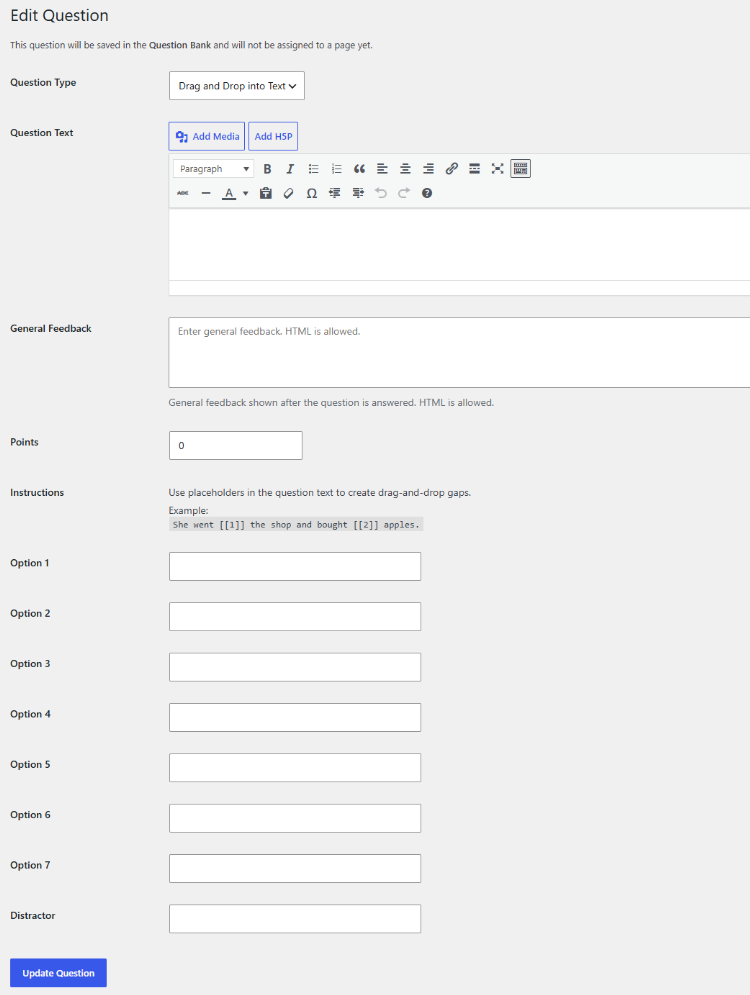
A Drag and Drop question can therefore contain both correct options and an additional distractor.
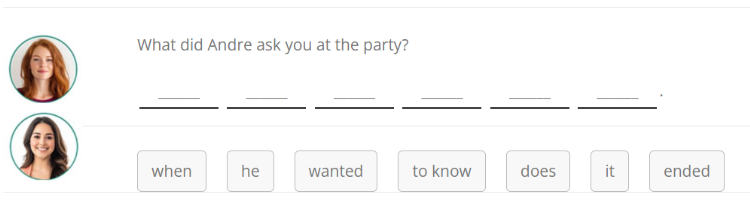
Use clear and unambiguous text when creating the question. Each numbered gap should correspond to the intended answer position. If a blank is at the start of a sentence – as in the example below – the first letter of the option dropped into this blank turns into a capital letter.
After creating the question, use Preview to check:
- The text
- The gaps
- The available answer options
- The distractor
- The placement of answers
Drag and Drop questions can be assigned to one or more pages of the quiz through the Question Bank.